CM2 [RawTool] ISP and Kleister
Posted: 19 May 2024, 09:54
With [RawTool] you can get raw bin memory content = dump = full = full dump = full image = raw memory image.
[RawTool] is something like ISP but it works via USB.
1. Connect
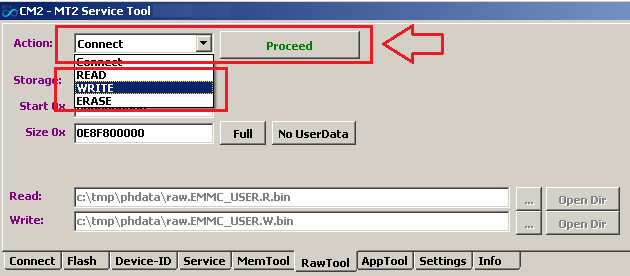
2. Now you can Read/Write/Erase memory areas
[Full] button set address range and size to whole memory chip
[No userdata] button set address range and size to memory chip without userdata area
Do not read Userdata as one file!
In case of empty battery or flash chip issue or bad cable you will get a problem!
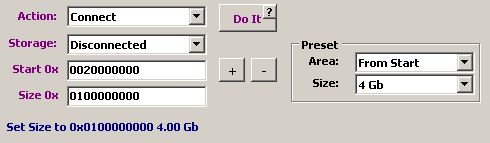
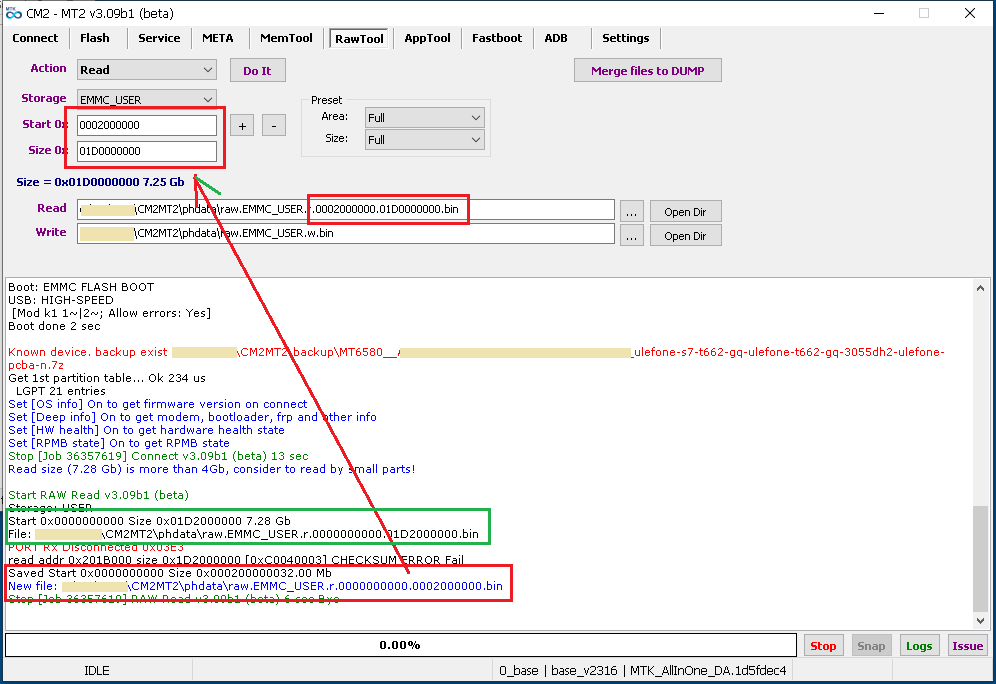
Good way - read it by small parts, f.e. by 1 Gb or 2 Gb or 4Gb and after that use [Kleister Tool] to merge separate files to one image
Use Kleister Tool to merge separate files to one image. DOWNLOAD and read How to use
ВНИМАНИЕ: Для надёжности надо читать не один большой файл, а частями.
Так будет гораздо проще, т.к. если будет некий сбой, например плохой кабель или полудохлый флеш чип или пустая батарея, то не надо будет опять читать всё целиком с самого начала, а можно прочитать только нужную часть.
Потом запустить Kleister Tool и склеить части.
Скачать Kleister Tool Тут
Как пользоваться Kleister Tool Написано Тут
[RawTool] is something like ISP but it works via USB.
1. Connect
2. Now you can Read/Write/Erase memory areas
[Full] button set address range and size to whole memory chip
[No userdata] button set address range and size to memory chip without userdata area
Do not read Userdata as one file!
In case of empty battery or flash chip issue or bad cable you will get a problem!
Good way - read it by small parts, f.e. by 1 Gb or 2 Gb or 4Gb and after that use [Kleister Tool] to merge separate files to one image
Use Kleister Tool to merge separate files to one image. DOWNLOAD and read How to use
ВНИМАНИЕ: Для надёжности надо читать не один большой файл, а частями.
Так будет гораздо проще, т.к. если будет некий сбой, например плохой кабель или полудохлый флеш чип или пустая батарея, то не надо будет опять читать всё целиком с самого начала, а можно прочитать только нужную часть.
Потом запустить Kleister Tool и склеить части.
Скачать Kleister Tool Тут
Как пользоваться Kleister Tool Написано Тут